Glance for Pebble0.20c
Publisher Description
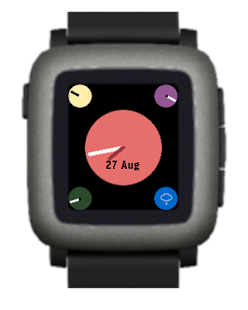
Glance for Pebble - over 50,000 daily users!
Voted top Android app in the Pebble App Challenge (#2 overall) - http://pbl.io/day-4
Glance for Pebble Time and original Pebble includes:
- Several "watchfaces" with weather and data
- Customise face colours (Pebble Time)
- Send pre configured SMS messages
- Tasker integration
- Calendar data ,Unread SMS, Gmail, Missed Calls
- Read recent SMS
- Simple Stocks
- Push Stocks and UKTrains to timeline
In App Premium purchase includes:
- Watchface Editor for much more customisation
- Glance Analog face
- TextWatch face
+ Several more faces!
Permissions:
android.permission.INTERNET
android.permission.ACCESS_NETWORK_STATE
Used to check state of network and make calls for Weather updates
android.permission.ACCESS_FINE_LOCATION
Used to get current location for weather updates
android.permission.READ_SMS
android.permission.SEND_SMS
android.permission.WRITE_SMS
android.permission.RECEIVE_SMS
Used to read and send SMS (including writing to the system outbox)
android.permission.READ_CONTACTS
Used to convert SMS phone numbers to names from contacts
android.persmission.READ_CALENDAR
Used to read the calendar
android.permission.RECEIVE_BOOT_COMPLETED
Used to start the service on boot
android.permission.WRITE_EXTERNAL_STORAGE
Logging
com.google.android.gm.permission.READ_CONTENT_PROVIDER
android.permission.GET_ACCOUNTS
android.permission.READ_CALL_LOG
Unread Messages Count
About Glance for Pebble
The company that develops Glance for Pebble is Finebyte. The latest version released by its developer is 0.20c. This app was rated by 1 users of our site and has an average rating of 5.0.
To install Glance for Pebble on your Android device, just click the green Continue To App button above to start the installation process. The app is listed on our website since 2016-10-02 and was downloaded 56 times. We have already checked if the download link is safe, however for your own protection we recommend that you scan the downloaded app with your antivirus. Your antivirus may detect the Glance for Pebble as malware as malware if the download link to uk.co.finebyte.pebbleglance is broken.
How to install Glance for Pebble on your Android device:
- Click on the Continue To App button on our website. This will redirect you to Google Play.
- Once the Glance for Pebble is shown in the Google Play listing of your Android device, you can start its download and installation. Tap on the Install button located below the search bar and to the right of the app icon.
- A pop-up window with the permissions required by Glance for Pebble will be shown. Click on Accept to continue the process.
- Glance for Pebble will be downloaded onto your device, displaying a progress. Once the download completes, the installation will start and you'll get a notification after the installation is finished.
Program Details
System requirements
Download information
Pricing
Version History
version 0.20c
posted on 2016-10-02
Glance 0.20c,- Enable B&W custom images for Pebble2/Diorite,- Enable Analog Clock for Pebble2/Diorite,Some features need Glance 2.14,See www.finebyte.co.uk
version 0.85.1
posted on 2013-06-10
Several fixes and updates
